Minimap Generation
Minimap generation produces a fog texture you can draw on top of a UI map, so players can see explored areas and unit line of sight on their map.
Important
The minimap requires a fog texture, so you must set World Bounds to map the texture to your world.
Setup
- Enable Force Render Fow Texture (For Mini-Map) on the Fog Of War World.
- Define your World Bounds.
- Provide the fog texture to your UI in one of two ways:
- Assign a reference to a UI Raw Image on the Fog Of War World, or
- Fetch the texture in code with
GetFOWRT()and apply it to your own map material/UI.
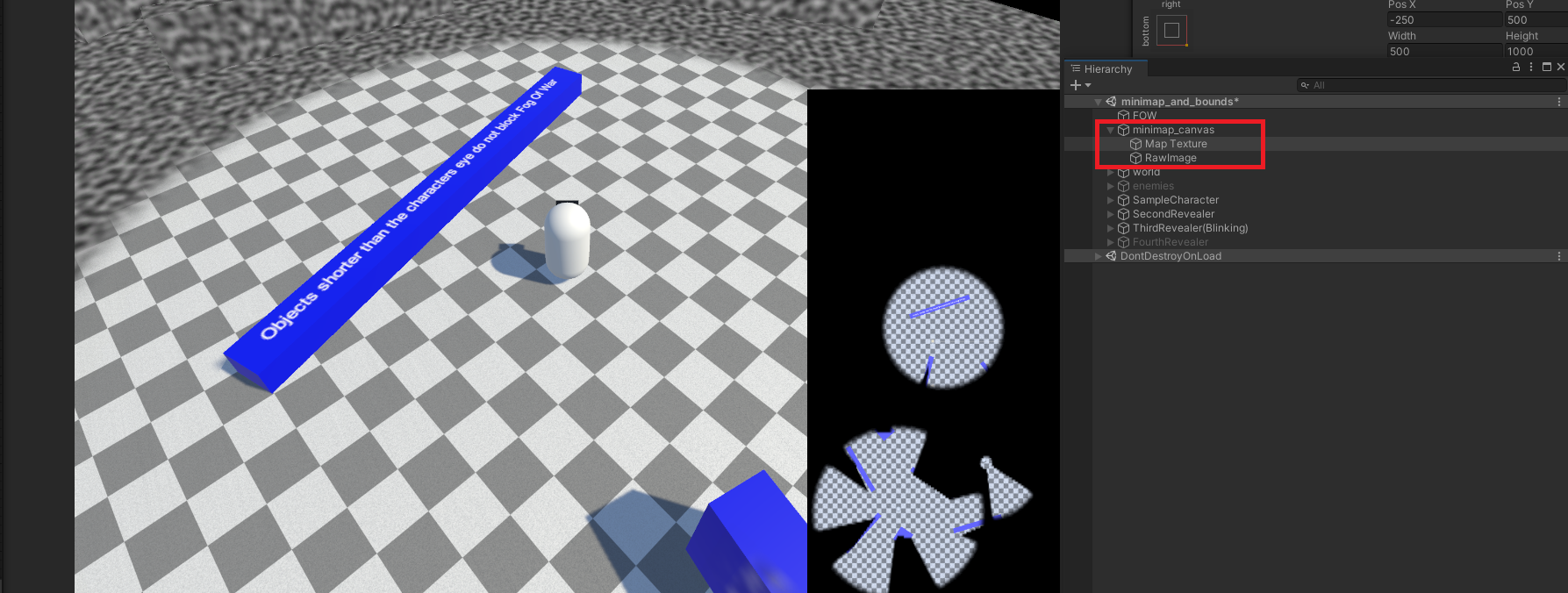
Texture Resolution
The fog texture resolution is controlled by Texture Resolution X and Texture Resolution Y. Higher resolutions look sharper on the map but use more memory.
In Code
using FOW;
using UnityEngine;
using UnityEngine.UI;

public class MinimapBinder : MonoBehaviour
{
    public RawImage minimapImage;

    void Start()
    {
        minimapImage.texture = FogOfWarWorld.instance.GetFOWRT();
    }
}
Unit Icons
You can draw icons on top of the minimap to track units — their positions update automatically each frame from their world positions.
- Add a Mini Map Icon Manager component to your map UI. Assign:
- Map Image Component — the UI
Imagethe icons are parented to (your minimap). - Icon Prefab — a UI
Imageprefab used for each icon. - Initial Max Capacity — how many icons to pre-pool (auto-expands if exceeded).
- Map Image Component — the UI
- Add a Mini Map Tracker Object component to any unit you want to appear on the map, and set its Icon Scale, Icon Color, and Icon Texture. The unit registers and unregisters itself automatically.
Tip
Mini Map Tracker Object is a simple example you can replace with your own logic. To drive icons yourself, call MiniMapIconManager.instance.TrackNewObject(transform, scale, color, sprite) and StopTrackingObject(transform).
There is also a small Set Mini Map Image helper component that assigns the fog texture to a UI RawImage on Start, if you'd rather not call GetFOWRT() yourself.